Sales Hub
Sales Hub is the combined view of the clinic's invoices and receipts. From here you search, filter, and start a Quick sale.
Interactive guide
Start the guide
Try it step by step in a copy of VetJay. Nothing you do there affects your clinic.
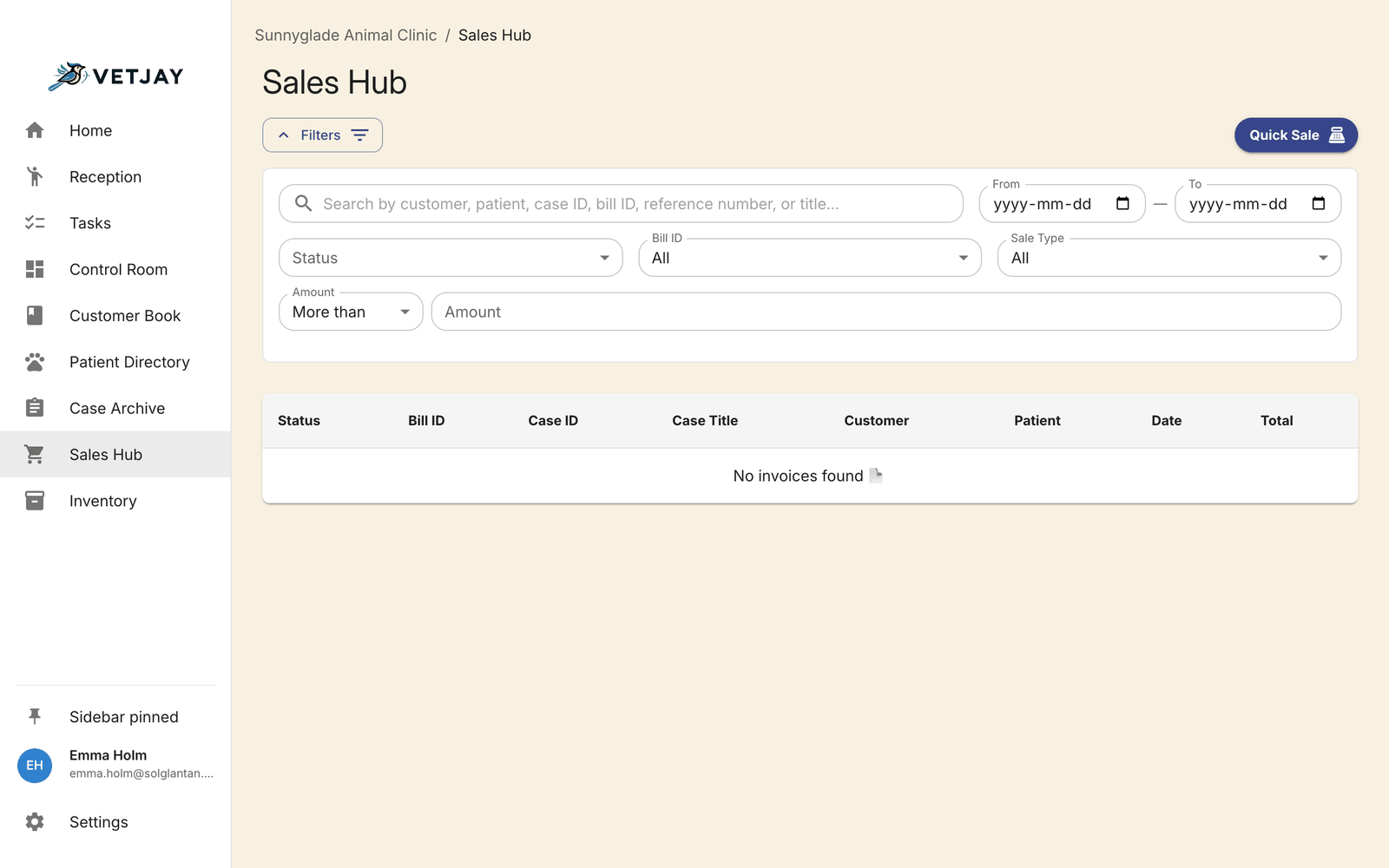
Search and filter
- Click Sales Hub in the sidebar.
- Search by customer, patient, case ID, invoice ID, OCR, or title.
- Filter by status, Invoice ID, Amount, and Sale type (Consultation sale / Quick sale).
Quick sale
Click Quick sale. The bill is created immediately, with no confirmation dialog. The same action exists in Reception. The bill is not linked to a case.
Edit, cancel, and delete
Edit Bill and Cancel Bill are the fast path when no money has come in and there is no credit note. If money has come in, use a full refund. If a credit note already exists, the rest goes through Credit and refunds. An ongoing direct regulation blocks the credit paths. A live payment link or terminal payment disables edit, cancel, and the two full refunds.
| Button | When it shows | Effect |
|---|---|---|
| Delete Bills | Open drafts only | The bill is deleted. No credit note is written |
| Edit Bill | No net received, nothing credited | Reopens, full credit note, stock returns, the link to the patient is removed |
| Cancel Bill | The same, except on an open bill | Cancels, full credit note, stock returns, the patient stays |
Pay Now takes payment. On a zero invoice the button is Settle. Events sit on the Activity timeline. Lines, discounts, and surcharges can be changed only while the bill is open or reopened.
FAQ
How do I find an invoice quickly? Search by invoice ID or OCR. Public customer and patient numbers also appear in the list.
What does partially paid mean? Less has been paid than the invoice owes after credit notes. Refund pending means money is still on its way back.