Add & edit a patient
The animal profile gathers clinical and administrative information. From here you manage basic details, consultations, journal notes, invoices, and referrals.
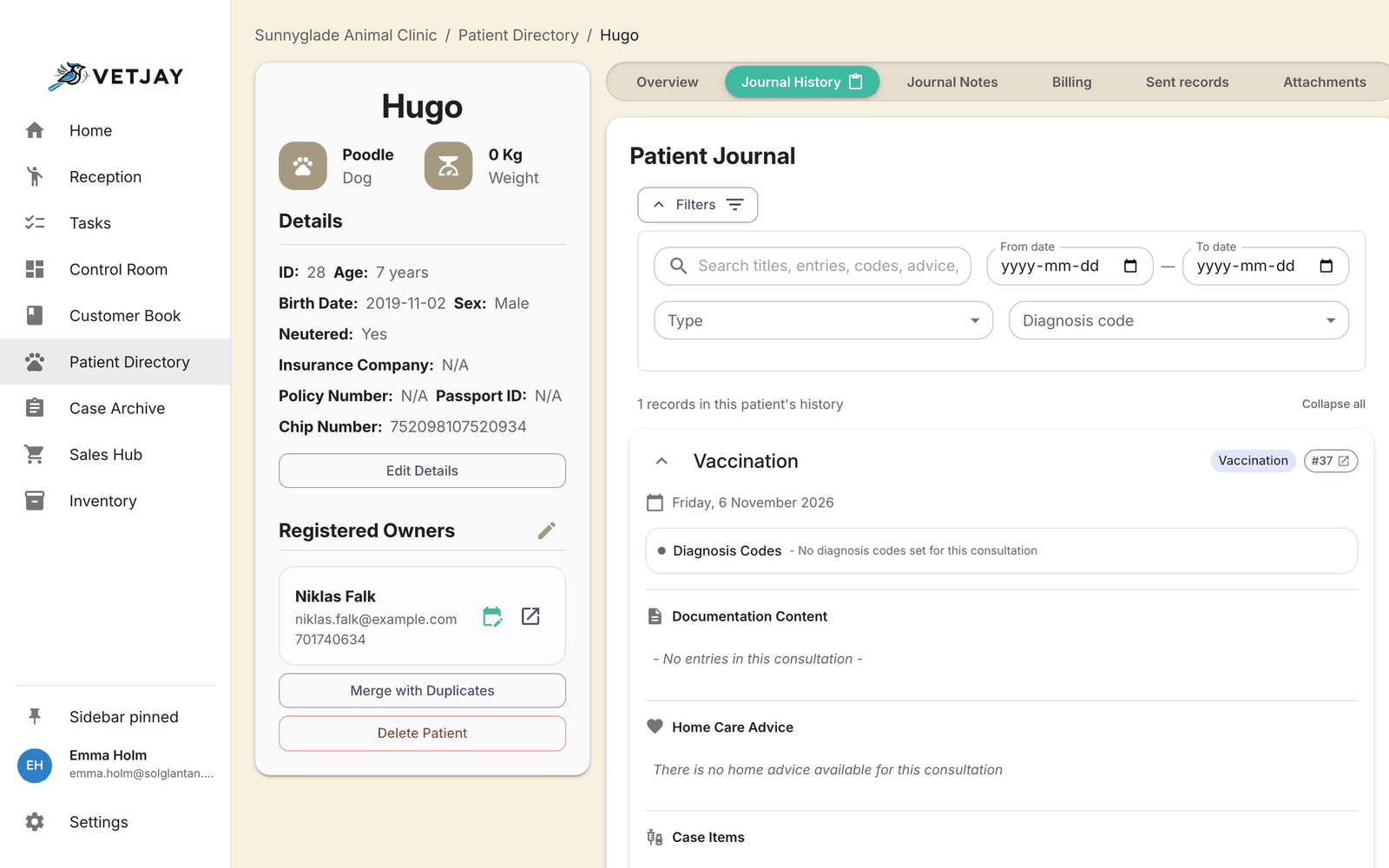
Edit basic details
- Open the patient profile from Patient Directory.
- Click Edit details and update name, species, breed, date of birth, microchip, neuter status, SJV species (for e-prescriptions), and insurance.
- Save.
Owners and death
Use Save owners to link customers. A patient cannot be saved without an owner.
In Sweden death is recorded in the case, not on the patient card. The flow appears when the case type is euthanasia or the patient is already deceased: End of Life Documentation. You generate the death certificate, enter the date of death, attach the certificate, and confirm with Confirm and Record Passing. It cannot be undone in this screen.
Outside Sweden the patient card has Register Patient Passing. You enter the date of passing. If a date already exists the button is Edit Date of Passing, and Patient has not passed clears the mark.
Death does not cancel future appointments and does not stop scheduled SMS. A new booking from the patient card is disabled when the animal is deceased. Age is shown as Deceased.
FAQ
Can a patient have several owners? Yes. That is useful for shared ownership, or when the contact person is different from the paying party.
Why do I need an SJV species? E-prescriptions via VETiSearch require the patient to have an SJV species. See E-prescriptions.