Customer book
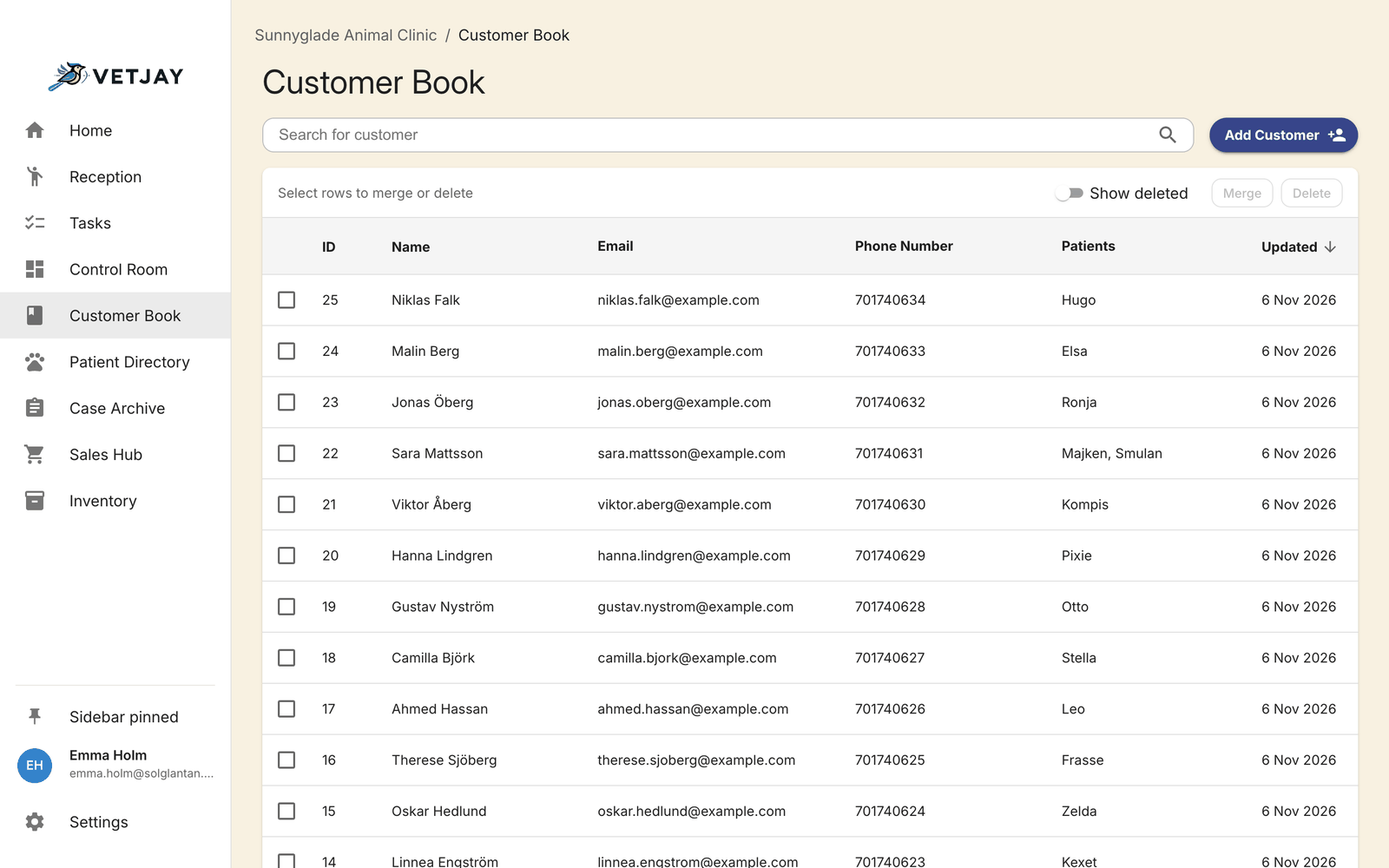
Customer Book is the register of all the company's customers. Here you find customers, add new ones, open profiles and clean up duplicates.
Interactive guide
Start the guide
Try it step by step in a copy of VetJay. Nothing you do there affects your clinic.
Find a customer
- Click Customer Book in the sidebar.
- Type in the Search for customer field.
The search finds the customer by:
| You type | Matches |
|---|---|
| Name, email or organisation number | Part of the word too |
| The name of one of the customer's pets | Part of the name too |
| Phone number | The whole number, written any way: 070-123 45 67, 0701234567 and +46 70 123 45 67 find the same customer |
| Swedish personal ID number | The whole number, with or without the century and dash. Part of the number finds nothing |
| Customer number (ID) | The exact number |
The best match comes first: exact name or number, then names that start with what you typed.
The list
The columns are ID, Name, Email, Phone Number, Patients and Updated. Click the ID, Name or Updated heading to sort. Click again to reverse.
Below the list you choose Rows per page and move between pages. Search, sort and page are kept in the address. Open a customer and go back, and you land in the same place. You can also share the link with a colleague.
Show deleted includes deleted and merged customers. They are labelled Deleted.
Add a customer
Click Add Customer. In Sweden you can fetch name and address with SPAR lookup. A customer can be a private person or a company. See Add & edit a customer.
Clean up duplicates
Tick rows with the checkboxes. The bar above the list shows how many are selected, with the buttons Merge and Delete. Clear unticks all. The full flow is in Merge, delete and erase.
The customer profile
| Tab | Content |
|---|---|
| Overview | The customer card with Details, Registered Patients and internal comments |
| Billing | The customer's billing documents |
| Notifications | SMS settings for the customer. Email is not controlled here |
The customer card has Edit Details, Merge with Duplicates and Delete Customer. A deleted customer also has Erase Personal Data.
Company customer
When the customer type is company, the form has organisation number, VAT number, invoice email, your contact, your reference, our reference, payment terms (days), penalty interest and Peppol ID. The fields are optional when the customer is created. Organisation number and Peppol ID are required for invoicing and carry onto the invoice. They show in the edit drawer, not on the customer card. SPAR is not used for companies.
FAQ
Can I search by a pet's name in Customer Book? Yes. The customer shows up if one of their pets matches. To find the pet itself, Patient Directory is quicker.
Why can't I find the customer by part of the phone number? Phone numbers and personal ID numbers only match the whole number. Search by name or type the whole number.
How does a customer opt out of SMS? Open the Notifications tab on the customer profile. Appointment reminders are controlled there, among other things.