E-prescriptions & integrations
The E-Prescriptions tab shows for clinics in Sweden. Here you connect VETiSearch so that the E-Prescriptions tool works in the consultation, and choose whether the owner gets an SMS when the prescription is ready.
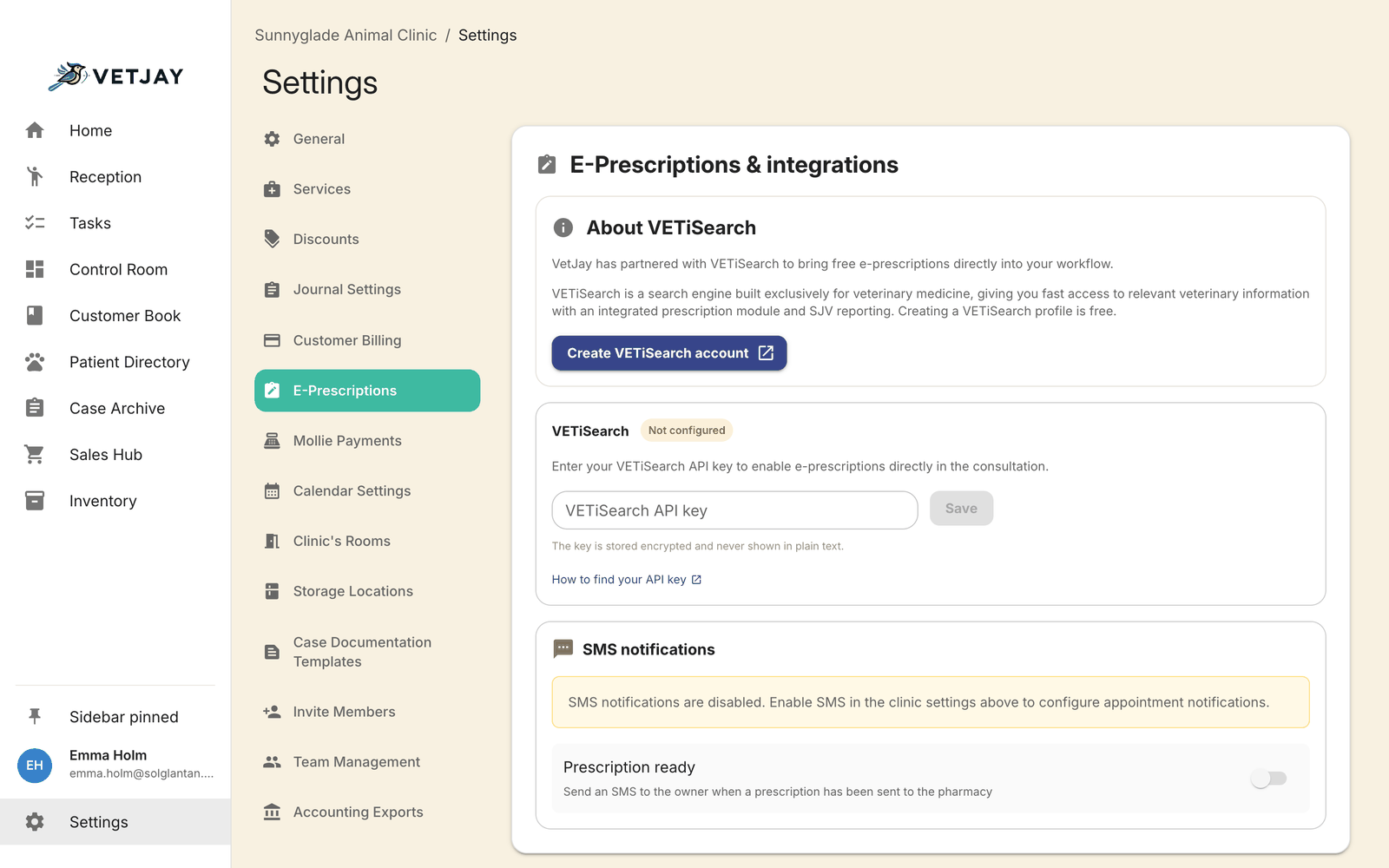
VETiSearch is a search engine for veterinary medicine with a prescription module and SJV reporting. Creating a profile there is free. If the clinic doesn't have one yet, click Create VETiSearch account.
Connect VETiSearch
- Go to Settings → E-Prescriptions.
- Paste the key into VETiSearch API key. The link How to find your API key shows where it is in VETiSearch.
- Click Save. The status changes from Not configured to Configured.
The key is stored encrypted and never shown again. To change it, click Update API key.
SMS when the prescription is ready
Under SMS notifications you'll find Prescription ready. With it on, the owner gets an SMS when a prescription has been sent to the pharmacy. SMS only goes to customers who haven't opted out, and requires SMS to be enabled for the clinic.
What prescribing needs
- The vet has a licence number on their profile.
- The patient has an SJV species. If it's missing, VetJay asks for it when the tool opens.
How to prescribe is described in E-prescriptions via VETiSearch.