Patient Directory
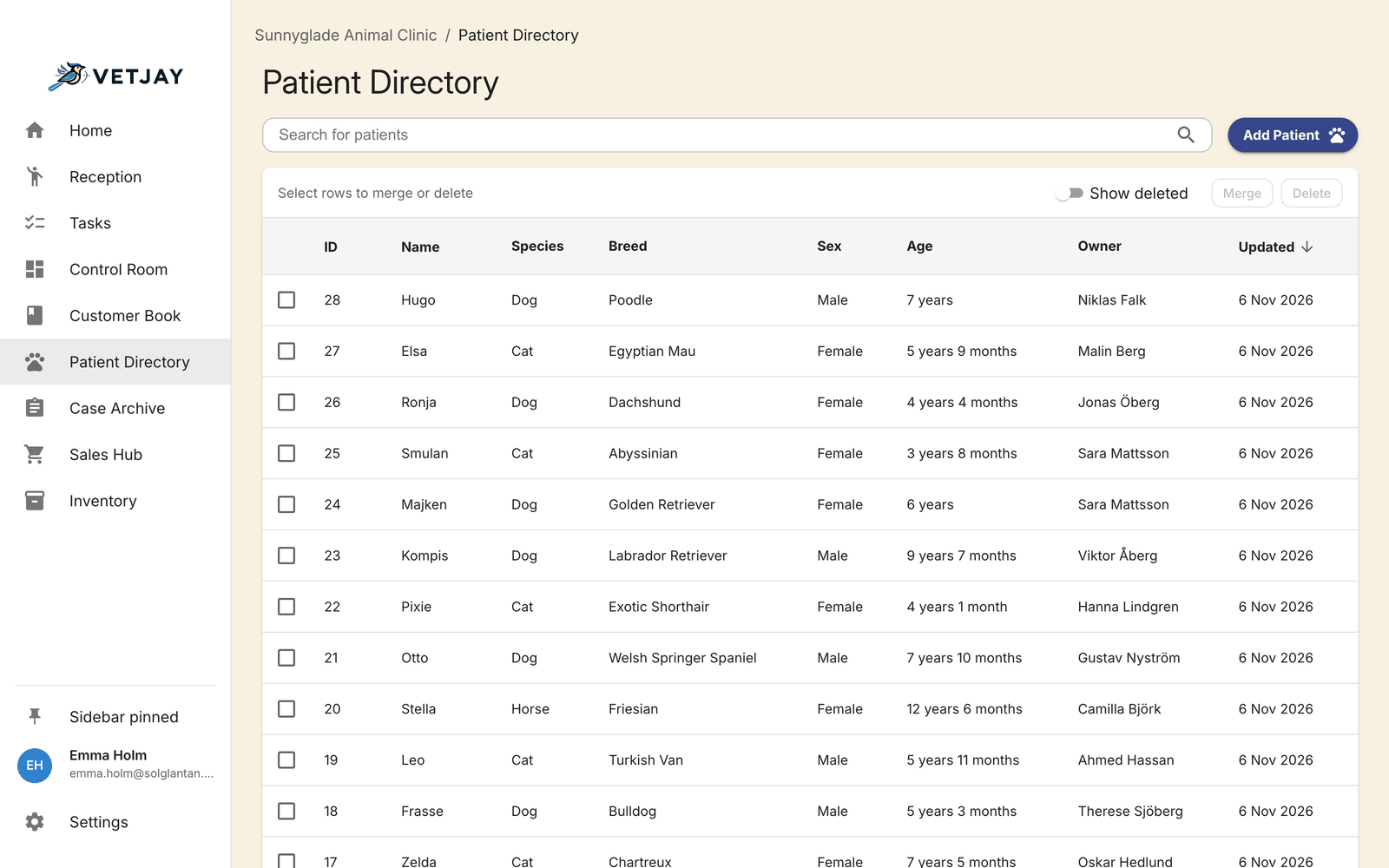
Patient Directory lists every patient in the company, regardless of owner. It is the quickest way to a specific animal.
Interactive guide
Start the guide
Try it step by step in a copy of VetJay. Nothing you do there affects your clinic.
Find a patient
- Click Patient Directory in the sidebar.
- Type in the Search for patients field.
The search finds the patient by:
| You type | Matches |
|---|---|
| The patient's name, species or breed | Part of the word too |
| Chip number, UELN or passport number | Part of the number too |
| The owner's name, email or organisation number | Part of the word too |
| The patient's and owner's names together | Bella Andersson, andersson bella and bel anna find the same patient |
| The owner's phone number or Swedish personal ID number | The whole number, written any way |
| Patient number (ID) | The exact number |
Deceased patients are in the list, labelled Deceased.
The list
The columns are ID, Name, Species, Breed, Sex, Age, Owner and Updated. Click ID, Name or Updated to sort. Search, sort and page are kept in the address, so you come back to the same place.
Show deleted includes deleted and merged patients.
Tick rows to Merge or Delete. See Merge, delete and erase.
Add a patient
Click Add Patient. See Add & edit a patient.
The patient profile
The profile opens on Journal History, so earlier visits show right away.
To see who the patient saw last, see See who the patient saw last.
| Tab | Content |
|---|---|
| Overview | Basic details, owners and weight chart |
| Journal History | Earlier consultations, expanded |
| Journal Notes | Notes outside the journal |
| Billing | The patient's invoices |
| Sent records | Referrals and journal copies that were sent. See Referrals and sent records |
| Attachments | Every attachment from the patient's consultations, in one place |
The patient card has Edit Details, Merge with Duplicates and Delete Patient. Owners are changed and saved with Save Owners.
In Sweden, a death is registered in the consultation with a death certificate. Outside Sweden, use Register Patient Passing on the card. A registered death does not cancel future appointments or stop SMS.
FAQ
Why can't I find a patient? Check the spelling, or search by chip number or the owner's name. A deleted patient only shows with Show deleted.
What is the patient number? Every patient gets a running number per company, for example #12. It shows in lists and on labels, and you can search by it.