Inviting users
New team members are invited by email. They get a link, create their account and are linked to the clinic straight away. Owners and administrators can invite.
Interactive guide
Start the guide
Try it step by step in a copy of VetJay. Nothing you do there affects your clinic.
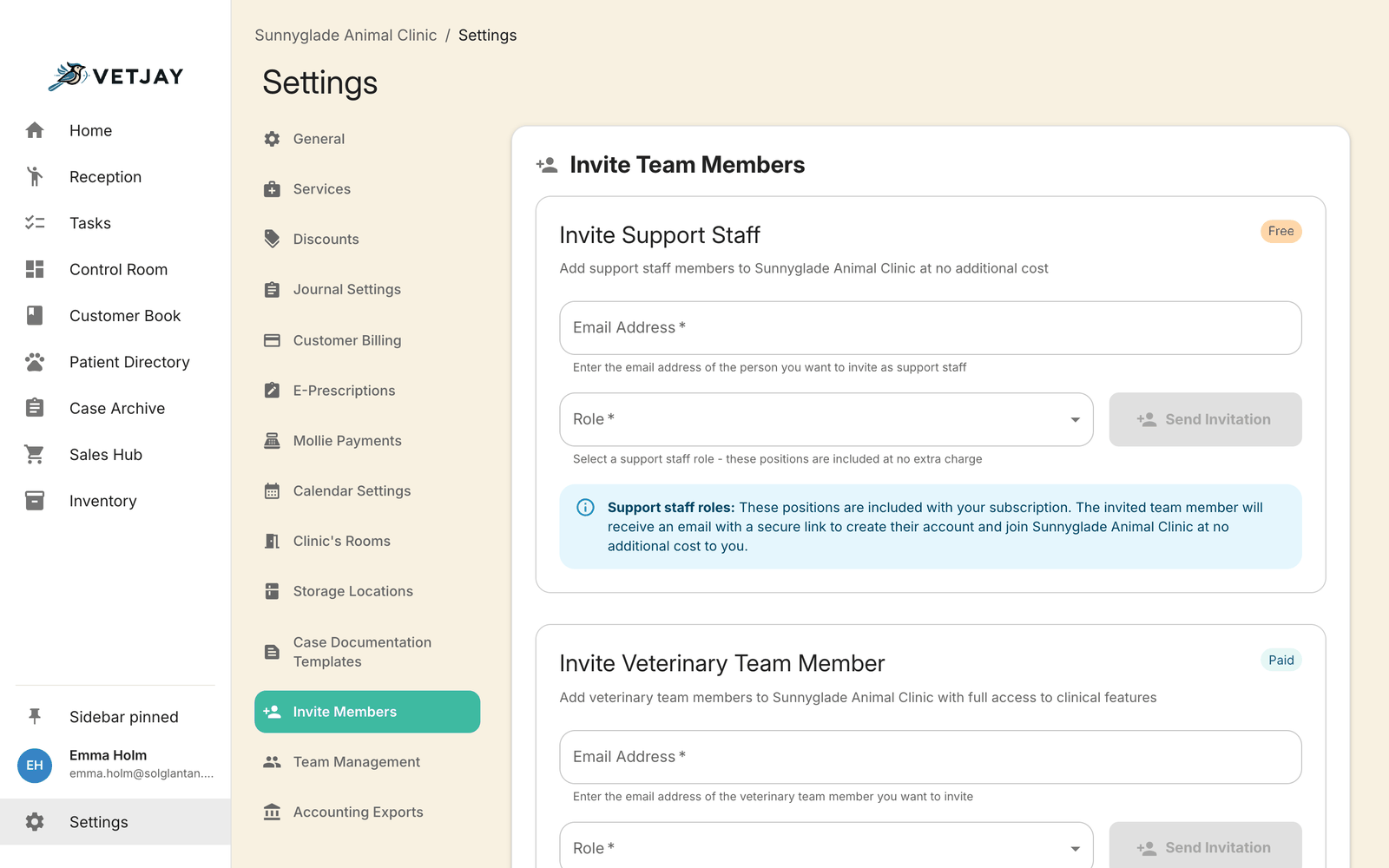
Two kinds of invitation
Under Settings → Invite Members there are two forms:
| Form | For | Cost |
|---|---|---|
| Invite Veterinary Team Member | Veterinarians, veterinary technicians and nurses, with full access to clinical features | Counts towards the subscription |
| Invite Support Staff | Staff and accountants | Included in the subscription, up to the plan's limit |
Which forms you can use depends on the clinic's plan. Otherwise Upgrade Plan shows.
How to
- Go to Settings → Invite Members.
- Choose the right form.
- Fill in the person's Email Address and choose the Role.
- Click Send Invitation.
The person gets an email with a secure link. The invitation shows under Team Management as Invitation Pending until it's accepted. What the recipient does is described in Accepting an invitation.
FAQ
The invitation didn't arrive. Ask the person to check their spam folder. Check the address under Team Management, cancel the invitation with Cancel Invitation and send a new one.
It says we've reached the limit for support staff. The plan has a limit for how many are included for free. Upgrade the plan or contact support.
Can I change the role afterwards? Yes, under Team Management. See Managing team members.