Lifecycle & auto-lock
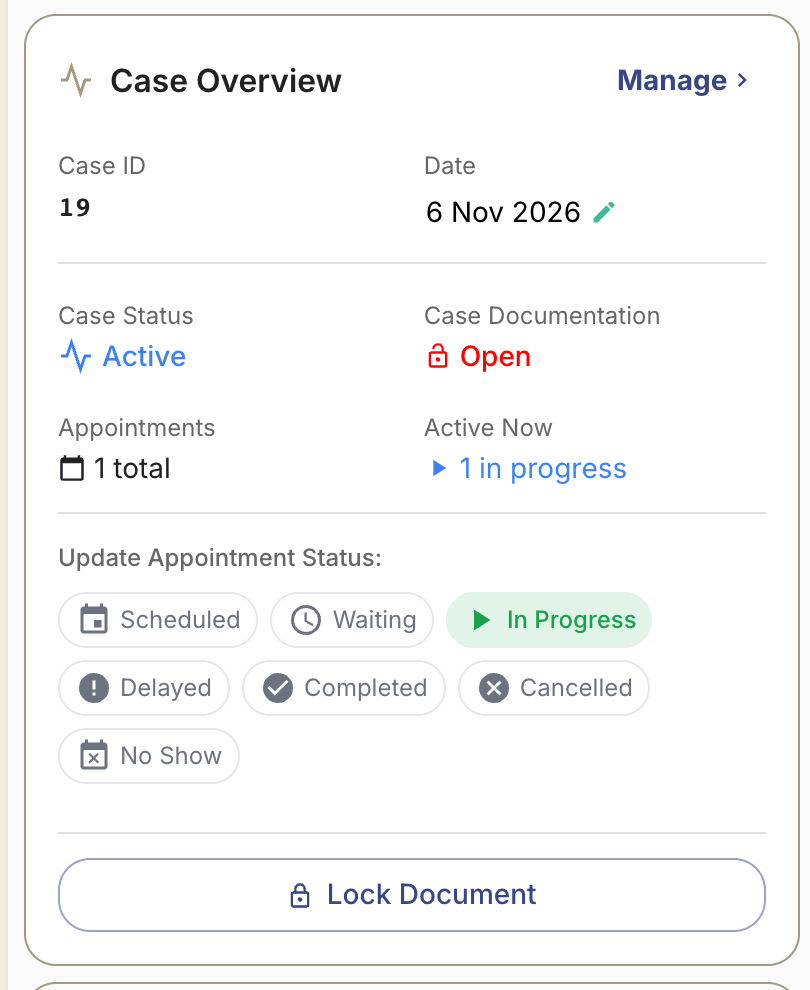
A consultation has two statuses that go together: the document (is the journal text open or locked?) and the case (where does the visit stand?). Both show in Case Overview in the left column.
Document status
| Status | Meaning |
|---|---|
| Not started | The case is planned but nobody has started writing |
| Open | The journal text can be written and changed |
| Locked | The journal text can't be changed |
| Reopened | Unlocked again for a correction or addition |
| Locked (reopened) | Locked again after being reopened |
| Imported | Brought over from an earlier journal system. Read-only |
Lock and unlock
- Lock Document locks the journal text when the documentation is finished.
- Unlock Document opens a locked consultation again for a correction.
Both buttons are in Case Overview. Every lock and unlock is saved with who and when under Status History, and the thread says when the consultation was locked and unlocked.
Auto-lock
Consultations lock automatically a number of days after they were created. The clinic sets the number under Settings → Journal Settings, in Auto-Lock Delay (Days). It can be 1–30 days, and the default is 2.
While you have the consultation open, a box at the top right shows how long is left, for example This consultation will auto-lock in 1 day 8 hours. An hour before, a warning appears. Publish what you're writing before then.
Case status
The case goes from Planning to Active and on to Completed. It follows the appointments and billing automatically, but can also be set by hand:
- Mark Ready for Discharge (the button at the top right) when the patient can go home. Reactivate Case undoes it.
- Under Manage in Case Overview you change the appointments' status and see every appointment in the case.
See In-clinic queue for all case and appointment statuses.
Change the consultation date
Click the pencil next to Date in Case Overview, pick the date and click Save. The change is logged. Auto-lock still counts from when the consultation was created, not from the new date.
FAQ
Can I change a locked consultation? Unlock it with Unlock Document, make the change and lock it again. The unlock shows in the status history.
Why was the consultation locked before I was done? Auto-lock kicked in. Unlock it and finish writing. If the clinic needs more time, increase the delay in Journal Settings.
Who can see that a consultation was unlocked? Everyone who opens it. The status history shows who locked and unlocked it, and when.