In-clinic queue
The In-Clinic Queue is in the left column of Reception Center, under the In Clinic tab. It shows the patients with appointments today and where they are in their visit.
Interactive guide
Start the guide
Try it step by step in a copy of VetJay. Nothing you do there affects your clinic.
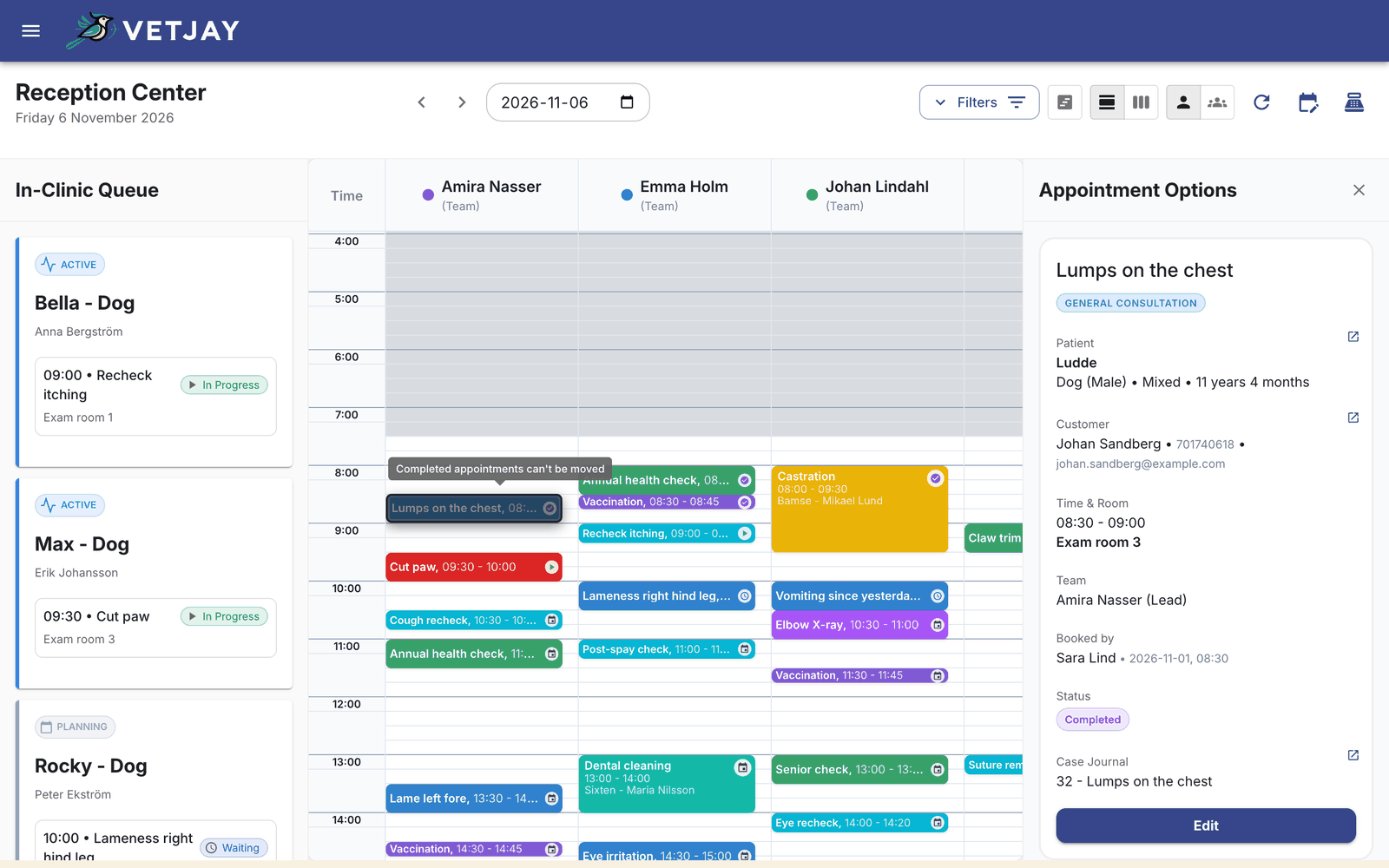
Reading the queue
Each card is a case: patient, owner, the appointment's time and title, room and the appointment's status. The case status is at the top of the card.
Cases that are in progress or planned come first. Under Handled you'll find cases that are completed or cancelled.
There are two kinds of status:
| Status | Applies to | Values |
|---|---|---|
| Appointment status | The single appointment | Scheduled, Waiting, In Progress, Delayed, Completed, No Show, Cancelled |
| Case status | The whole case, which can have several appointments | Planning, Active, Awaiting Results, Ready for Discharge, Completed, Cancelled |
A visit from arrival to discharge
- Click the patient in the queue or the calendar. The details panel opens on the right.
- When the patient arrives, fill in Today's Weight:
- Save Weight saves the weight. Then set the appointment status to Waiting while the patient is in the waiting room.
- Save & In Progress saves the weight and sets the appointment to In Progress right away.
- When the vet takes the patient in, choose In Progress under Update Appointment Status.
- Update the case under Update Case Status, for example Awaiting Results while you wait for a lab result, or Ready for Discharge when the patient can go home.
- When the visit is done, choose Completed. Take payment from the quick actions in the panel.
If the case has several appointments, the panel shows All Appointments in This Case so you can move between them.
FAQ
How does a patient get into the queue? Every appointment for the day shows up automatically. If a patient comes in without an appointment, book one with Book Appointment.
What's the difference between appointment status and case status? Appointment status says where the patient is right now, for example in the waiting room. Case status says where the whole case stands, for example waiting for a lab result.
Can the customer see the status? No. The statuses are for the clinic only.
Online requests that aren't booked yet are under the Requests tab. See Triage queue.