Case Archive – list & filters
Case Archive in the sidebar lists every case. Here you find a consultation, filter the list and create new ones.
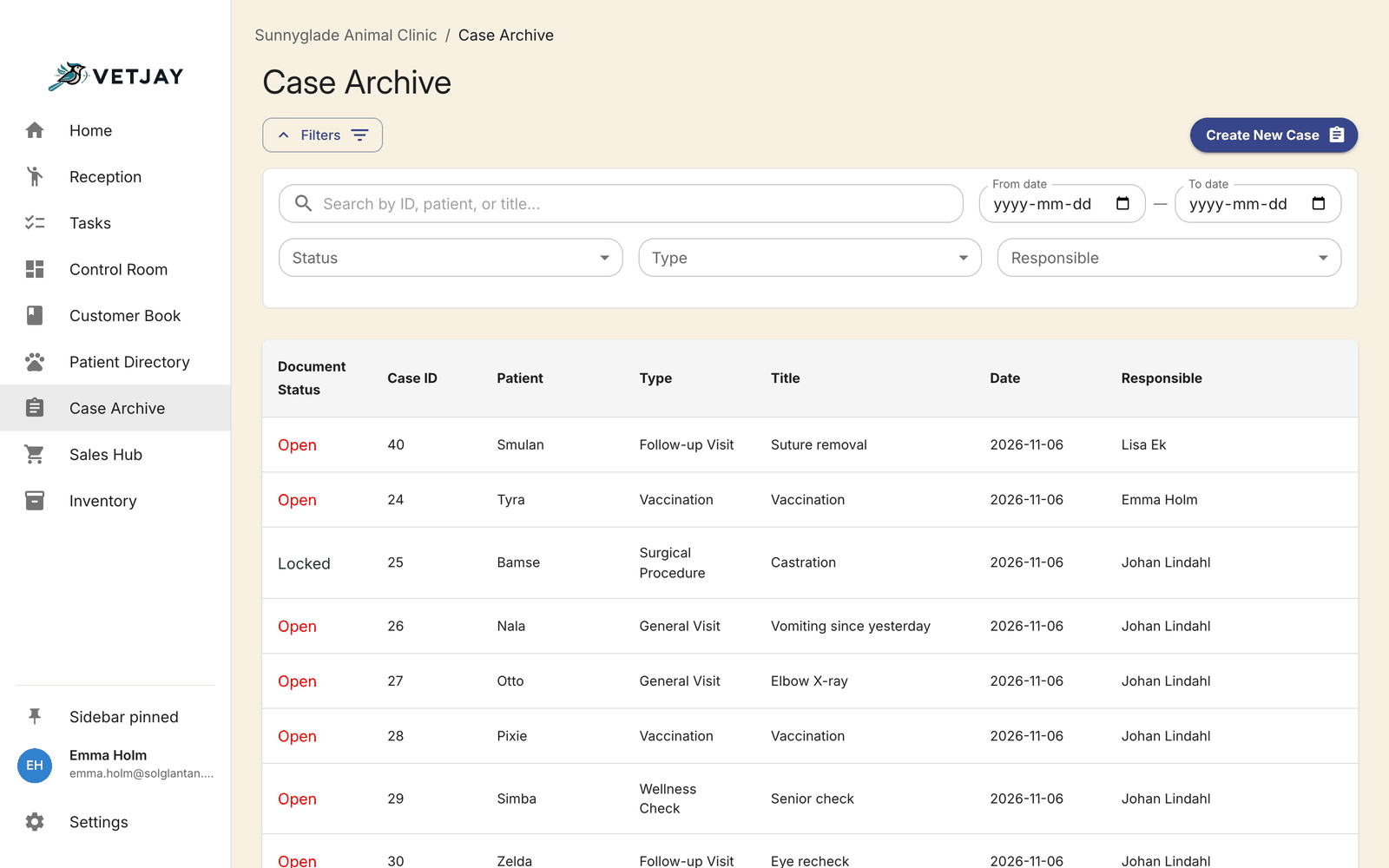
Search and filter
- Click Case Archive in the sidebar.
- Search in the Search by ID, patient, or title... field.
- Filter by Status, Type, Responsible, From date and To date.
- Click a row to open the consultation.
The columns are Case ID, Date, Title, Type, Patient, Responsible and Document Status. The status is the document's status, such as Open or Locked. See Lifecycle & auto-lock.
Create a consultation
Click Create New Case, search for the patient and continue. See Create a case.
FAQ
What's the quickest way to find a case? Search by case ID or the patient's name. You can also open the consultation from the appointment in Reception or from the patient profile's Journal History.
Why does it sometimes say journal and sometimes case? The record is called a case (consultation) in VetJay. The document you print or send is called the journal, for example the journal PDF.