Managing team members
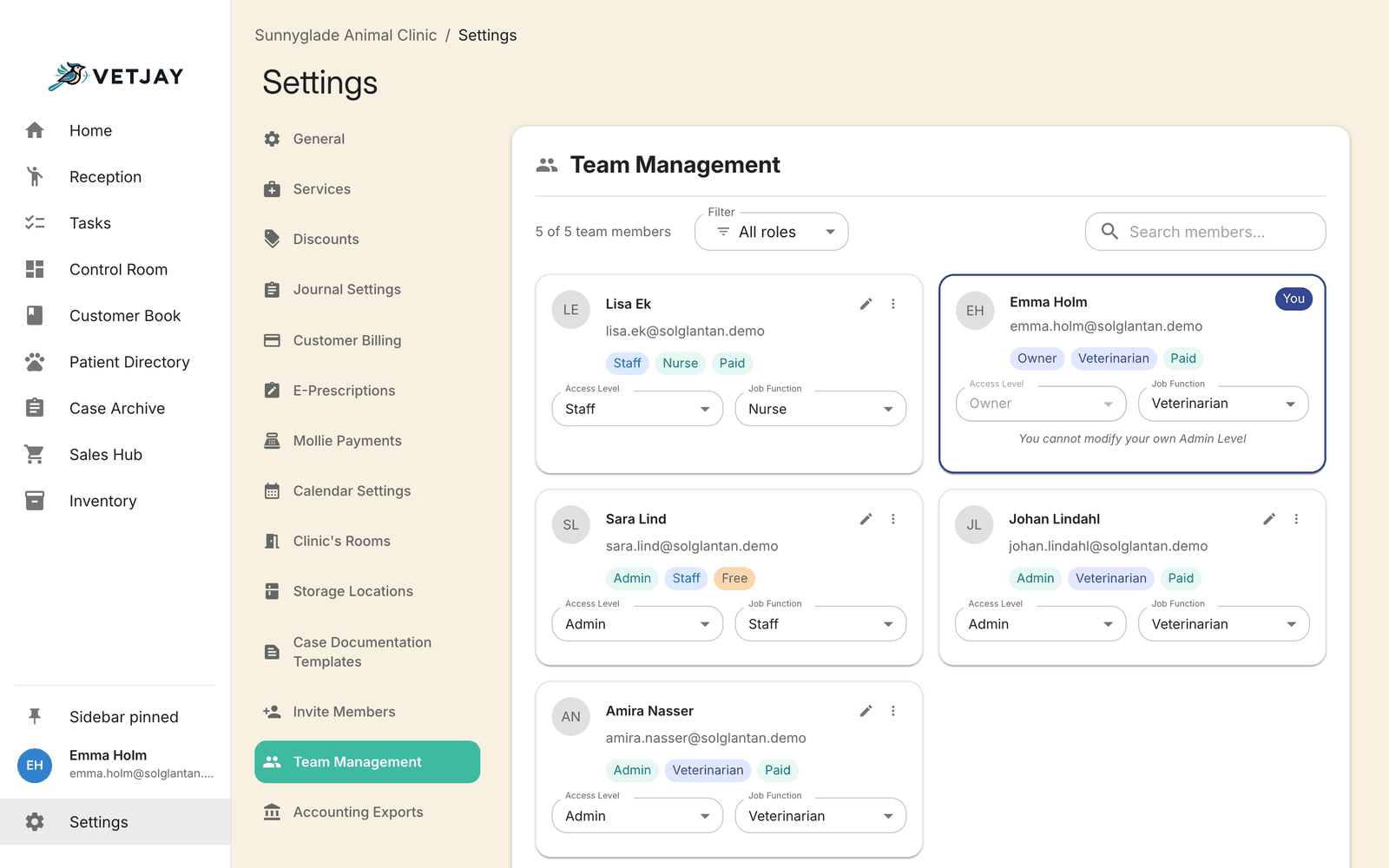
Settings → Team Management lists everyone linked to the clinic. Here you change roles, pause or remove users and see pending invitations. It requires permission to manage staff.
Find a team member
Search under Search members... or use Filter: active or disabled, paid or free, and different access levels and job functions. If the company has several clinics, choose the clinic at the top.
Change a role
Each team member has two selectors on their card: Access Level and Job Function. Choose a new value and it's saved right away. See Roles & permissions.
If you change to or from a job function that counts towards the subscription, VetJay shows what it means for billing before you confirm.
You can't change your own access level.
Change the name
Open the team member's menu and choose to edit. Change First Name and Surname and click Save Changes.
Pause or remove
| Action | What happens |
|---|---|
| Disable User | The person can no longer sign in. Everything they did stays, and billing for the user is paused. Enable User opens it again |
| Remove from Team | The person's access is removed right away and the account is deleted within 24 hours. Can't be undone |
Journals, invoices and everything else the person created stay in both cases.
Pending invitations
An invitation that hasn't been accepted shows as Invitation Pending. Cancel Invitation withdraws it. See Inviting users.
FAQ
Should I disable or remove someone who has left? Disable if they might come back. Remove if they shouldn't have an account with you at all any more.
What happens to invoices and journals when a team member is removed? They stay. Where the person is named it may say Removed user.