See which vet or vet nurse the patient saw last
To find out who saw the patient last time, for example to book the same vet again, use the journal history on the patient profile.
Interactive guide
Start the guide
Try it step by step in a copy of VetJay. Nothing you do there affects your clinic.
Step by step
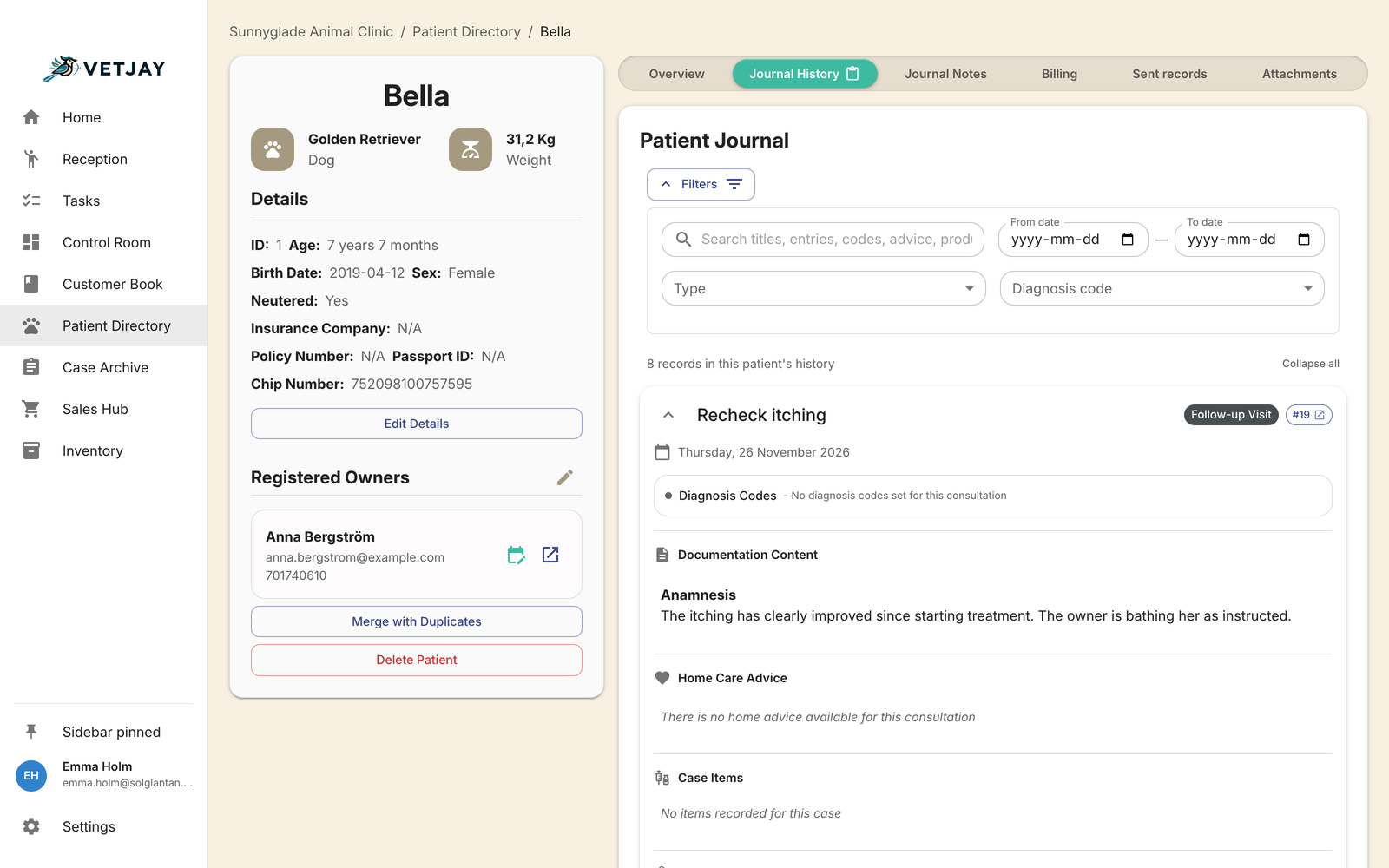
- Open the patient profile, for example from Patient Directory or the customer's page in Customer Book. The profile opens on the Journal History tab.
- The records are shown as cards, newest date first. Each card shows the title, type, date and record number, but not who held the consultation.
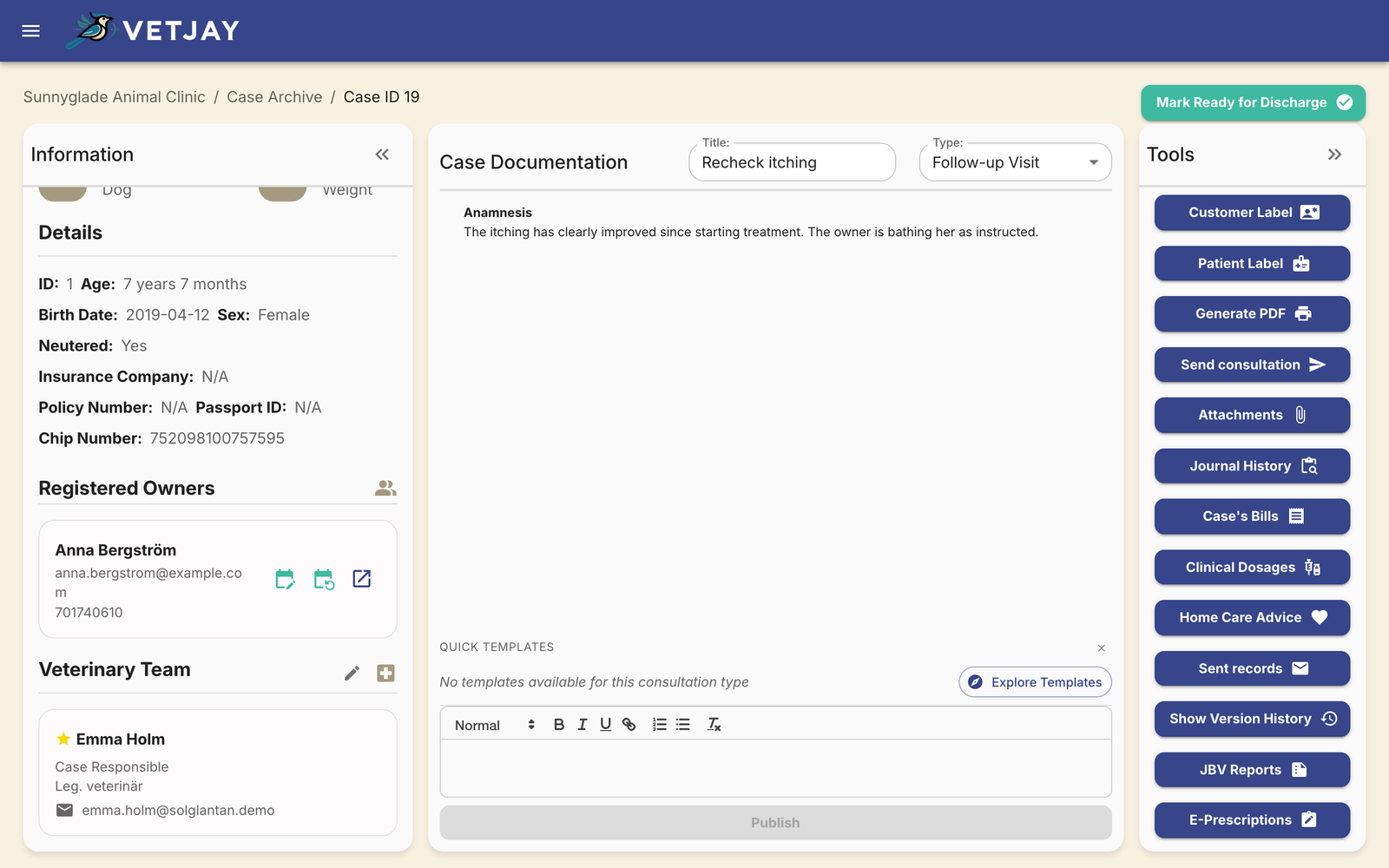
- Click the # chip (the record number, for example #1024) on the top card. The record opens.
- At the bottom of the information panel on the left is Veterinary Team. It lists everyone who took part in the visit, with the lead vet first, marked with a yellow star.
Click the # chip, not the card
Clicking anywhere else on the card only expands or collapses it. The # chip is what opens the record.
Want to see earlier visits?
Go back to the patient profile and open the next card the same way.