Accounting exports
The Accounting Exports tab creates source data in SIE or CSV format from issued invoices. Drafts and bills that haven't been invoiced aren't included. The selection uses the clinic time zone: the interval runs from midnight on the start date through the end date as a calendar day.
The SIE service sets the voucher date by interpreting timestamps in Europe/Stockholm, regardless of the clinic time zone. For a clinic outside that zone the accounting day can differ from the selection near midnight.
Accounts
Payment methods are not split. An invoice with status paid — card, cash, Swish, or an approved direct regulation — is debited to 1913 (other method of payment) for the full gross amount. Unpaid invoices and ongoing or partly paid receivables are debited to 1510 (accounts receivable).
| Role | Account |
|---|---|
| Accounts receivable (unpaid, ongoing, partly paid) | 1510 |
| Other method of payment (paid) | 1913 |
| Sales, services | 3010 |
| Sales, goods | 3100 |
| Discounts given | 3730 |
| Output VAT 25% / 12% / 6% | 2610 / 2620 / 2630 |
| Rounding | 3740 |
How to
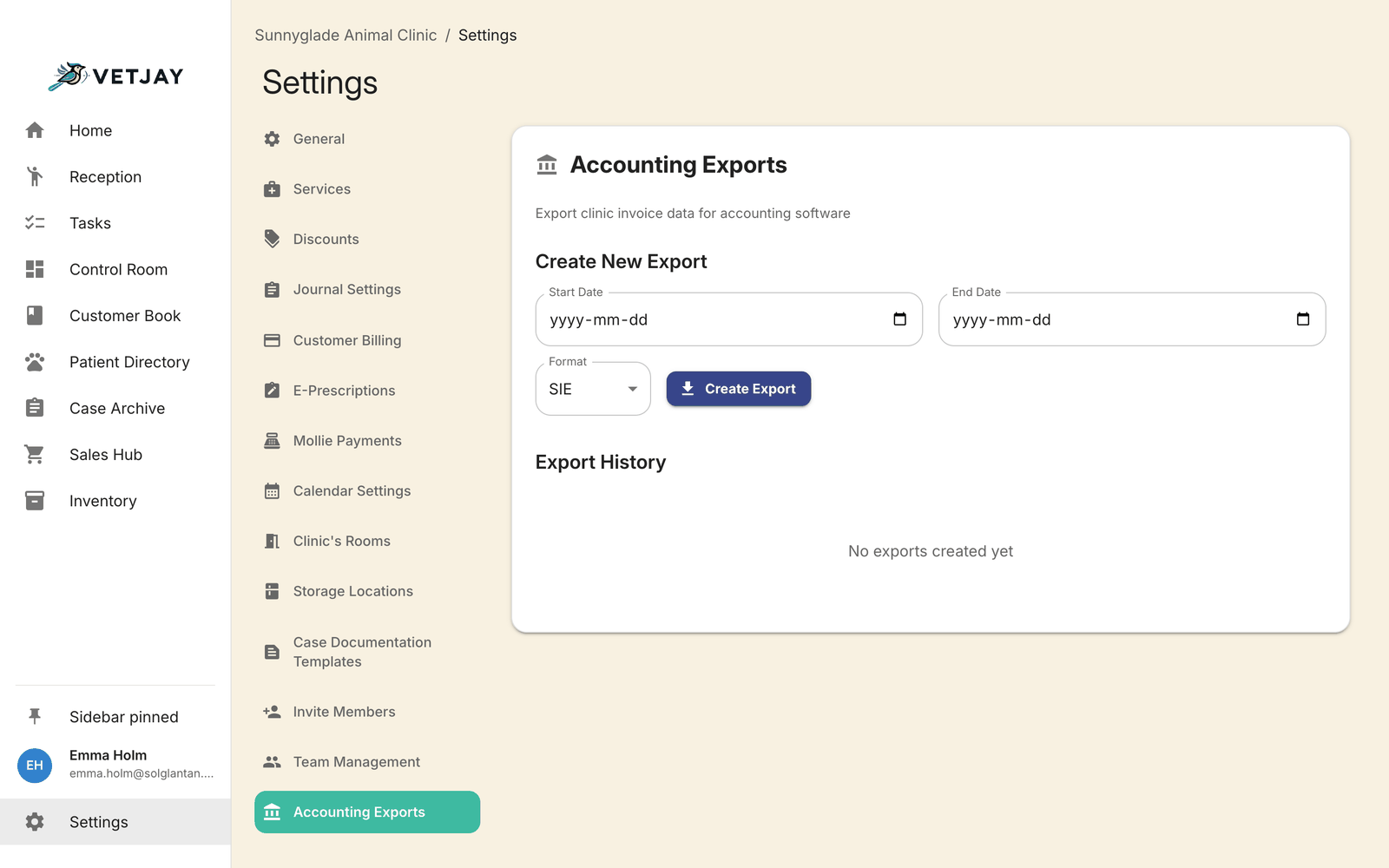
- Go to Settings and choose Accounting Exports (requires a plan with accounting exports and permission to manage accounting).
- Click Create New Export.
- Enter Start Date, End Date, and Format (SIE or CSV).
- Click Create Export, then Download.
- Review Export History and Download History.
FAQ
Are drafts exported? No. The source is issued invoices.
Can I redo an earlier export? Yes. Previous exports are in the export history and can be downloaded again. A re-export uses the invoice's current status, so the debit account can have changed from 1510 to 1913 if the invoice has since been paid.
Is the insurer's share posted to its own account? No. A fully paid direct regulation goes to 1913 together with the other payment methods. A partly paid invoice goes in full to 1510 until the status is paid.