Case documentation templates
Templates give the journal text a ready-made structure, for example for a vaccination or a skin visit. There are two kinds:
| Template | Who sees it | Who creates it |
|---|---|---|
| Private template | Only you | You |
| Clinic template | Everyone at the clinic | Whoever may manage templates, or a private template that has been approved |
Everything is under Settings → Case Documentation Templates. Clinic templates are included in some plans.
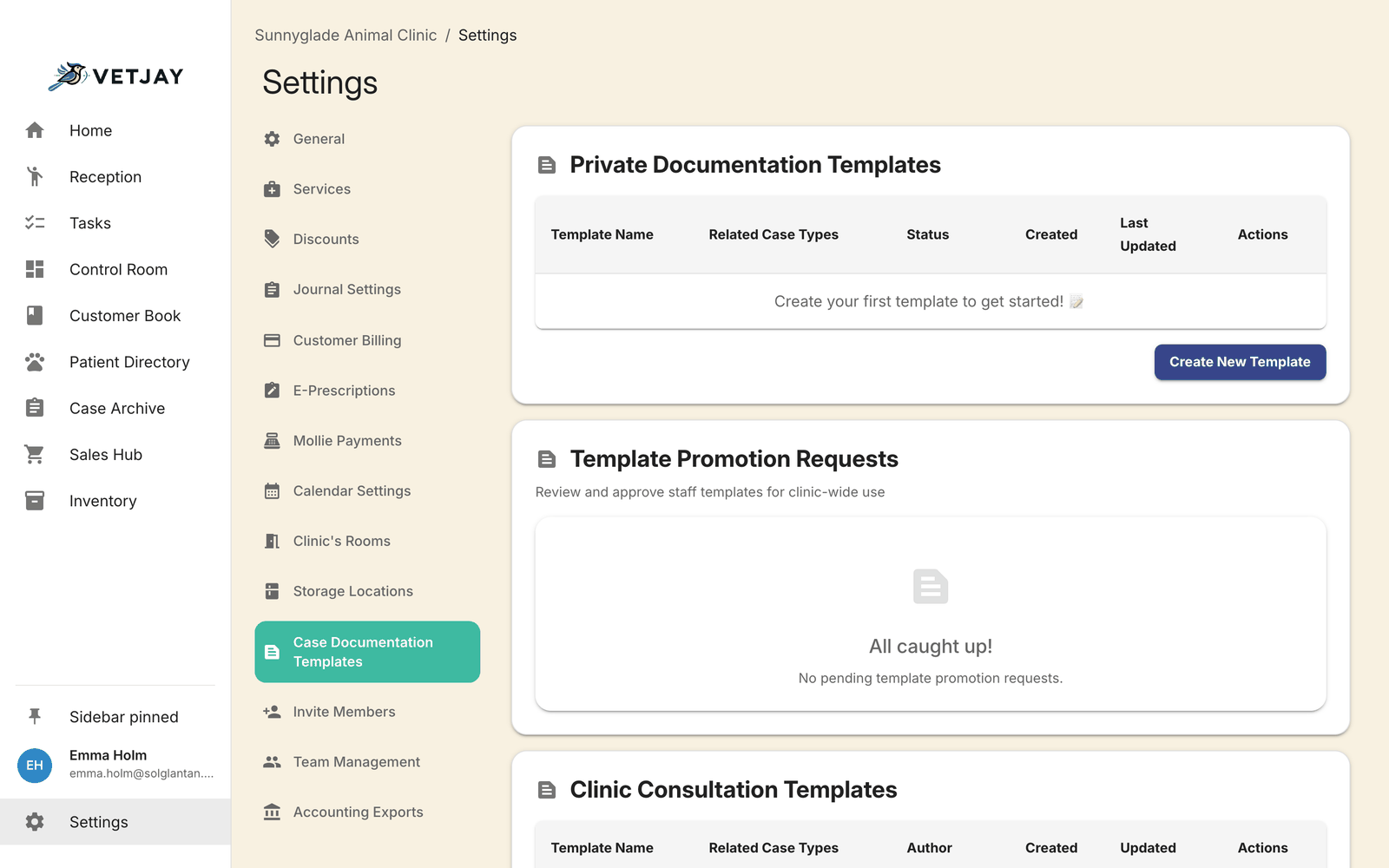
Create a template
- Go to Settings → Case Documentation Templates.
- Click Create New Template under Private Documentation Templates or Clinic Consultation Templates.
- Fill in the Template Name.
- Choose Related Case Types. The template then shows under Quick Templates when a consultation has that type.
- Write the content, with headings and lists. It saves as you type.
Share a private template with the clinic
- Click Request Promotion on your private template.
- Confirm. The template shows Pending Review.
- Whoever may manage templates sees it under Template Promotion Requests and chooses Approve or Deny. The template then shows Promoted or Denied.
An approved template becomes a clinic template everyone can use.
Use a template in the journal
- Click a template under Quick Templates above the writing field.
- Or click Explore Templates, search Clinic Templates and Private Templates, preview and click Use This Template.
The template fills the writing field. Change what's needed and click Publish. See Writing the journal.
FAQ
Can each vet have their own templates? Yes, as private templates. Only you see them until they're approved for the clinic.
Do old consultations change if I edit a template? No. Text that's already published doesn't change.
Why doesn't the template show under Quick Templates? Check that the consultation's type is listed under Related Case Types. All templates can always be found through Explore Templates.